Buyer guide
Best AI tracking webcams for creators
Published October 18, 2026. Listing text checked October 18, 2026.
As an Amazon Associate we earn from qualifying purchases.
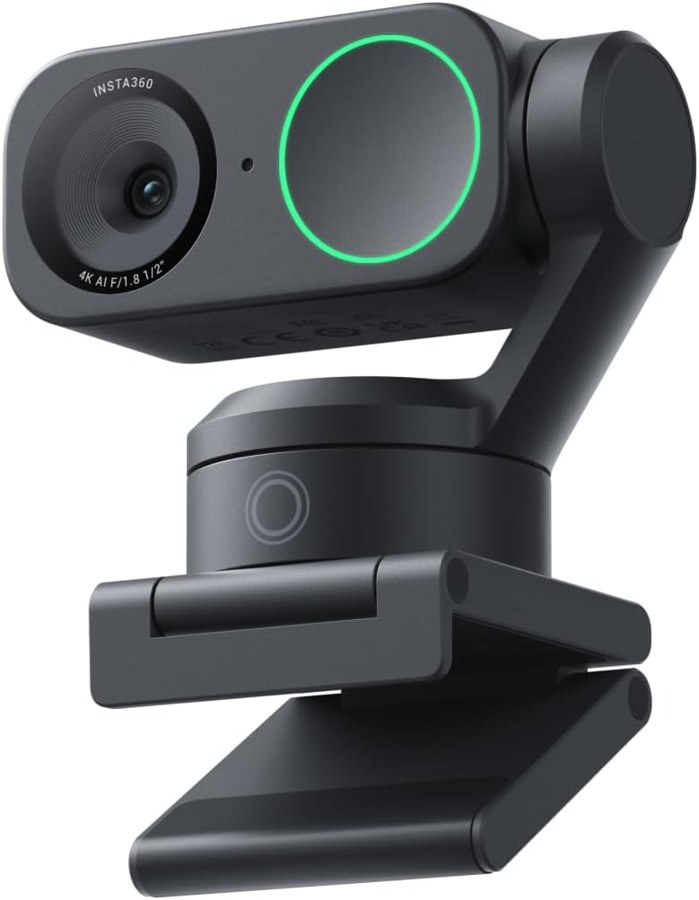
Insta360 Link 2
Buy on Amazon: Insta360 Link 2A tracking webcam is there so you can stand up and stay in frame. Four listings here say they follow you. The Logitech MX Brio page does not. Its bullets say AI-enhanced image quality and dual beamforming mics with the aid of AI. That is processing on a camera that stays put. Insta360 Link 2 and the OBSBOT Tiny titles do say AI tracking, so this guide uses that word only on those pages. The earlier webcam guide is the still cameras, including a different Logitech 4K listing.
A talking-head file still needs a cut. Subtitles writes captions in the browser, the Video trimmer drops the dead air, and Video crop reframes a horizontal take. The Video splitter divides a long stream into equal parts. Studio generates a clip. It is not the webcam.
The picks
- 1. Best Overall AI Tracking Webcam — Insta360 Link 2
- 2. Best Value 4K Tracking Webcam — OBSBOT Tiny 2 Lite
- 3. Most Affordable AI Tracking Webcam — OBSBOT Tiny SE
- 4. Best Webcam Without a Tracking Motor — Logitech MX Brio Ultra HD 4K Webcam
- 5. Best Premium AI Tracking Webcam — OBSBOT Tiny 2
Best Overall AI Tracking Webcam
Insta360 Link 2
The Insta360 Link 2 title says PTZ 4K, a 1/2 inch sensor, AI tracking, HDR, and an AI noise-canceling mic. A bullet says the camera physically pans and tilts to follow you around the room. Others say phase-detection autofocus, gesture and smartphone control for AI tracking, and DeskView plus Whiteboard modes. The word AI is on this listing. The guide is repeating it, not adding it.
- AI Tracking: Insta360 Link 2 physically pans and tilts to follow your movements around the room, keeping you or your group perfectly in frame.
- Professional Audio: Experience best-in-class audio with advanced AI noise-canceling algorithms. Filter out unwanted background noise for clear communication, even in busy environments.
- Premium Image Quality: Upgrade to Link 2 4K webcam with a 1/2" sensor. Captures true-to-life webcam 4K visuals with HDR and low-light performance for stunning video in any lighting condition.
- True Focus: Insta360 Link 2 streaming camera with Phase Detection Auto Focus (PDAF). No more blurry shots—this web cam ensures instant focusing and crisp video for every stream.
- Gesture & Remote Smartphone Control: Control your webcam remotely from your smartphone, or use simple hand gestures to start AI Tracking/Auto Framing, zoom in or out and activate Whiteboard Mode.
- Specialized Modes: Features DeskView and Whiteboard modes. Link 2 is ultimate webcam for streaming and creativity, functioning perfectly as a versatile webcam for Mac and Windows.
Best Value 4K Tracking Webcam
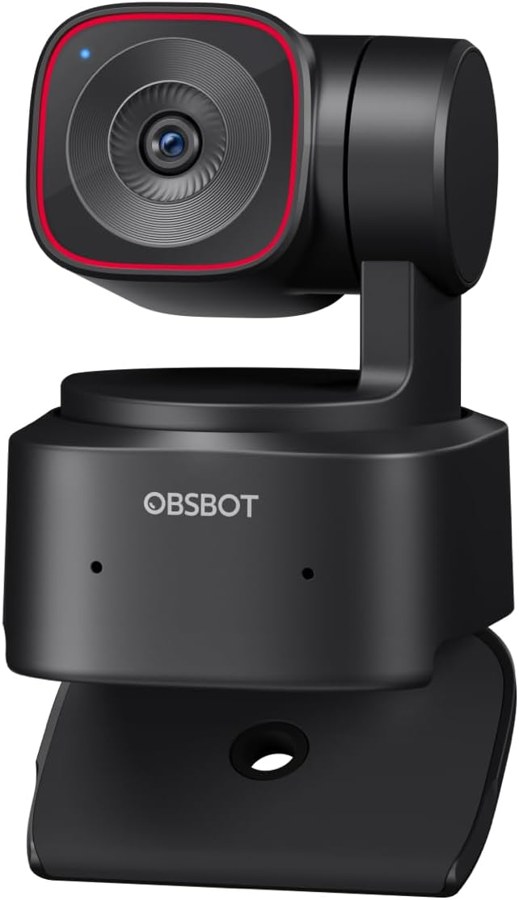
OBSBOT Tiny 2 Lite
The OBSBOT Tiny 2 Lite title says 4K and AI tracking. A bullet says this version streamlines whiteboard mode and voice control, and that it keeps the 4K resolution and 1/2 inch CMOS sensor. Tracking modes named on the page include upper body and hand tracking, plus custom tracking and non-tracking areas. Preset positions can each have their own AI tracking mode. Gesture control 2.0 uses an open palm to lock the target and a point to zoom. The page says plug and play, with no app required.
- 【Stay Pro, Stay Productive】The new version Tiny 2 Lite webcam 4K streamlines some streaming features (whiteboard mode and voice control) to prioritize teaching and meeting scenarios. Reasonable price, uncompromised quality. The inherited 4K resolution & 1/2'' CMOS sensor and easier operation make it a more professional business shooting partner.
- 【Your Tracking Mode,Your Rule】The web cam boasts multiple tracking modes (e.g. upper body& hand tracking), to cater to a broader audience with diverse tracking needs. Beyond just these features, the PTZ camera also allows you to customize tracking areas and Non-tracking area, offering unparalleled freedom for personalized tracking.
- 【Customizable Preset Modes】The webcam for PC newly upgraded Preset Position function not only can set multiple preset positions, but also customizes separate parameters and AI tracking modes for each preset position. Even when the scene switches, it reduces adjustment time while still ensuring that every frame is shot at the optimal setting.
- 【Dynamic Gesture Control】 Along with the 2.0 dynamic gesture control, our streaming camera says goodbye to cumbersome manual operation. Simply face the web cam, make an “🖐” gesture to lock the portrait tracking target, and make an “👆” gesture to control the zoom easily.
- 【Multiple Shooting Modes】The web camera not only supports horizontal, portrait, upside-down shooting modes, but also automatically adjusts the screen according to the machine's placement without sacrificing image quality. No matter which mainstream live broadcast platform, or any environment you want to shoot, it can easily cope with.
- 【Apps for Novice and Experienced】Simple plug and play to use our computer camera, no need to download APP, friendly to newcomers. If you are a professional camera enthusiast, great news! Tiny 2 Lite webcam supports SDK, OSC, Stream Deck, and Global Hotkey functions, allowing you to customize your own 4K Webcam experience.
Most Affordable AI Tracking Webcam
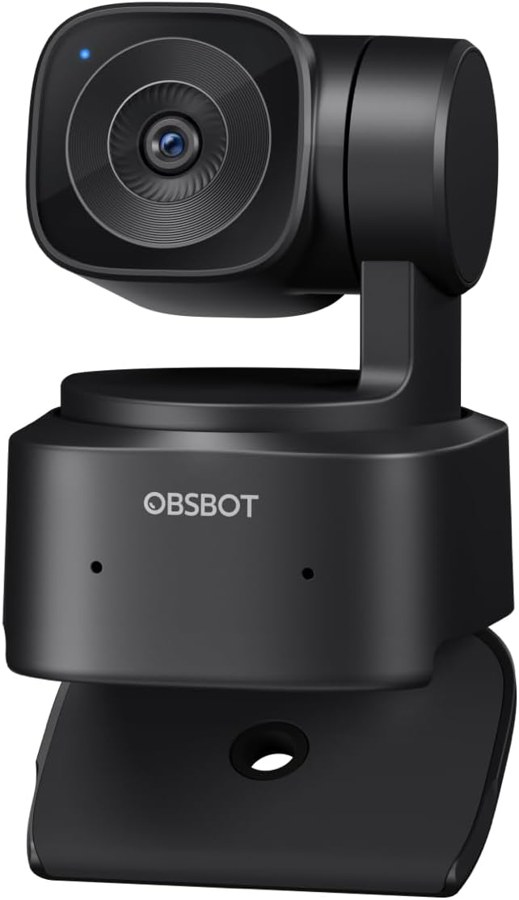
OBSBOT Tiny SE
The OBSBOT Tiny SE title says AI tracking. The bullets say 1080p at 100 fps and 720p at 150 fps, zone tracking with tracking and non-tracking areas, and body-part tracking such as upper body and hand. Presets can each carry their own AI tracking mode. Gesture control is the same 2.0 palm-and-point pair. The sensor line is a 1/2.8 inch stacked CMOS with staggered HDR. Shooting modes named on the page are horizontal, portrait, and upside down.
- 【Smart Tracking, Smooth Excellence】OBSBOT Tiny SE webcam for PC supports an unprecedented 1080P@100FPS and 720P@150FPS, outperforming the majority of affordable webcams on the market. Enjoy crystal-clear and ultra-smooth video that captures every nuance and motion effortlessly.
- 【Advanced AI, Affordable Price】OBSBOT Tiny SE web cam goes beyond basic AI tracking in the market with more advanced AI functions like zone tracking (customize tracking and non-tracking areas), bodypart tracking (e.g.upper body and hand tracking). The streaming camera delivers the pinnacle of cost-effective, intelligent and personalized experience.
- 【Customizable Presets】Our computer camera newly upgraded preset position modes not only can set multiple preset positions, but also customizes separate parameters and AI tracking modes for each preset position. Effortlessly switch scenes and keep every frame perfect.
- 【Dynamic Gesture Control】Along with the 2.0 dynamic gesture control, say goodbye to cumbersome manual operation. Simply face our PTZ webcam, make an “🖐” gesture to lock the portrait tracking target, and make an “👆” gesture to control the zoom easily.
- 【Shine in Low Light】Breakthroughs in low-light performance set our 1080P webcam apart. Equipped with 1/2.8” Stacked CMOS, Dual Native ISO, 2.9 μm Pixels Size, Staggered HDR, 12 Bit dynamic color range ensure excellent video quality in any lighting condition.
- 【Multiple Shooting Modes】Our webcam with microphone not only supports horizontal, portrait, upside-down shooting modes, but also automatically adjusts the screen according to the machine's placement without sacrificing image quality. Ideal for streaming, conferencing, content creation, and gaming.
Best Webcam Without a Tracking Motor
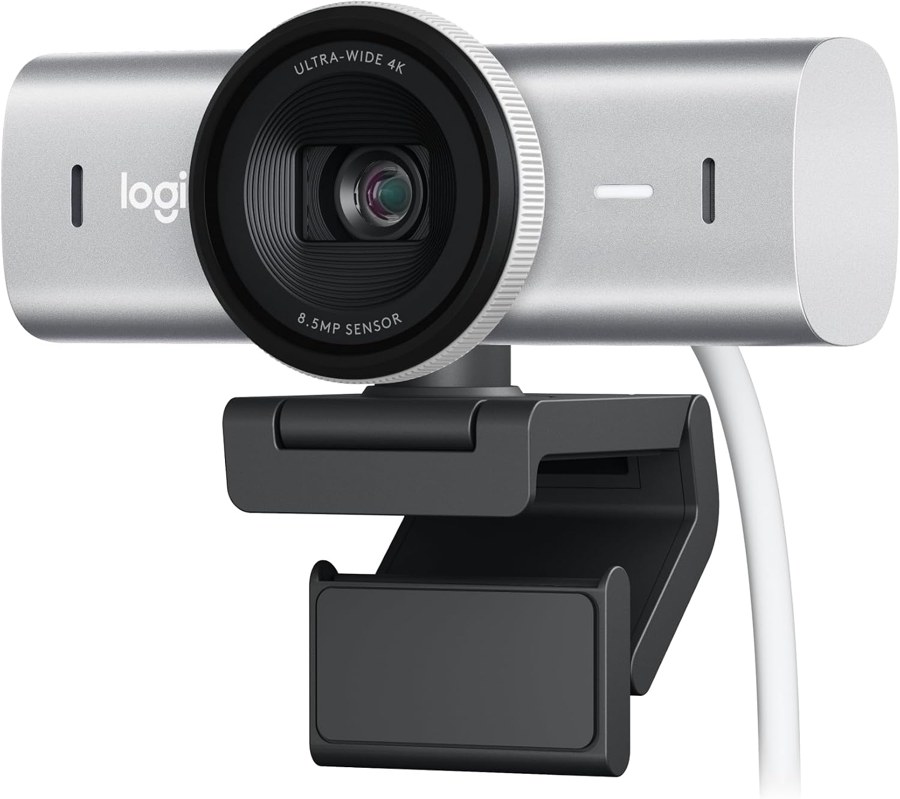
Logitech MX Brio Ultra HD 4K Webcam
The Logitech MX Brio listing is not a tracker. This is the Pale Gray page. It says 4K at 30 fps or 1080p at 60 fps, AI-enhanced image quality in difficult light, and dual beamforming noise-reducing mics with the aid of AI. Show Mode tilts the view down to the desk. A built-in cover blocks the lens. The bullets do not say the camera pans, tilts to follow a person, or keeps you centered while you walk. AI on this page means the image and the mics, not subject tracking.
- Ultra HD 4K webcam: meet or stream in 4K resolution at 30fps or 1080p at 60fps, with our most advanced webcam sensor yet, with 70% larger pixels (1) for sharp image quality
- AI-enhanced image quality: Experience 2x better face visibility with finer image details in difficult light (2), with auto-exposure, auto white balance, noise reduction, and autofocus
- Let Them Hear Your Every Word: Integrated dual beamforming noise-reducing microphones minimize background noise with the aid of AI to make sure you are clearly heard
- Share Your Work: Tilt down your Logitech webcam to share notes and sketches on your desk with Show Mode, allowing for better collaboration on calls
- No Sneak Peeks: To protect your privacy between meetings, simply rotate the built-in webcam cover to completely block the web camera
- Curate Your Image: Fine controls (3) on this Ultra HD webcam let you adjust lighting and white balance, such as ISO, Shutter Speed, Tint, and Vibrance, or let Auto mode take care of it
Best Premium AI Tracking Webcam
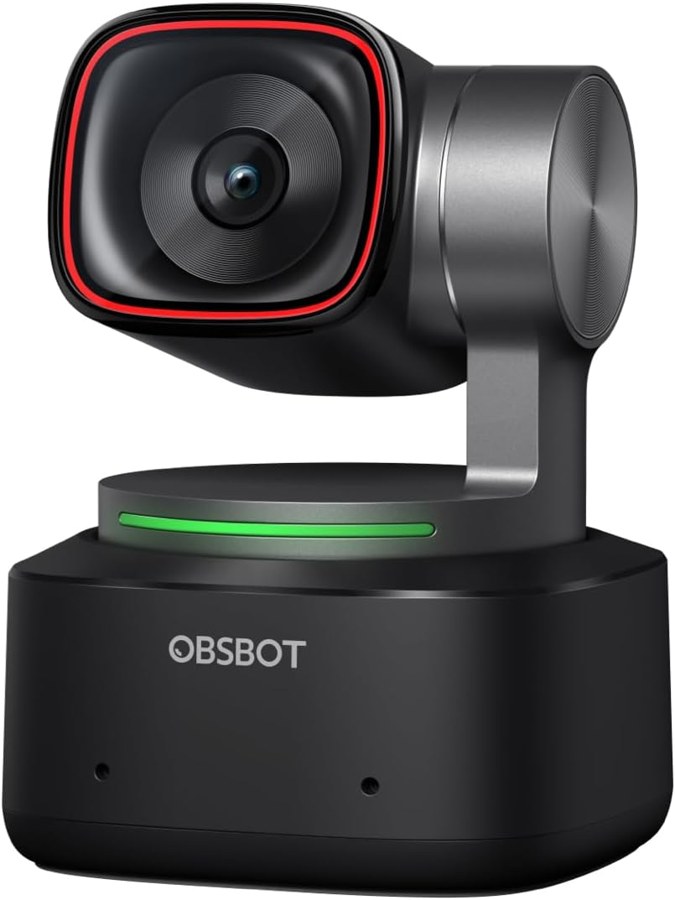
OBSBOT Tiny 2
The OBSBOT Tiny 2 title says 4K, voice control, and AI tracking. A bullet says the sensor is 1/1.5 inch and names four tracking modes: upper body, close-up, hand, and zone. Voice commands printed on the page include Hi, TINY and Track Me. Gesture control is version 2.0. A bullet says all-pixel autofocus takes 0.3 seconds. Modes named beside tracking include whiteboard, desktop, portrait, and group. A separate line says the camera may get hot in use and that this is normal.
- 【OBSBOT Tiny 2 - New Era of Webcam】Our 4K Webcam is equipped with 1/1.5" CMOS Sensor, which is the largest and most advanced sensor currently used in the Webcam industry. This significantly improves the image quality and light sensitivity, allowing you to shine in dark environments.
- 【Superior AI-Tracking, Up 4 Tracking Modes】Our Tracking Webcam has fully upgraded the AI algorithm to make the auto-tracking smoother and faster, quickly capturing every move of you, and the reaction speed exceeds 99% of the peers. There are 4 additional automatic tracking modes such as upper Body Mode/Close-Up Mode/Hand Tracking/Zone Tracking to meet the needs of different people.
- 【Breakthrough Voice & Gesture Control】Our Webcam with Microphone introduces a groundbreaking voice control feature, becoming the first webcam to support voice commands. If you are far away from the conference camera, you can control your Webcam for Streaming through specific commands, such as 🗣️"Hi, TINY", "Track Me", etc simple command. Besides, Tiny 2's gesture control has been upgraded to version 2.0, making it even more responsive.
- 【Industry Leading 0.3 Seconds Auto Focus】All-Pixel Auto Focus means our Webcam for Mac takes only 0.3 seconds to capture your silhouette, 4X faster than other webcam. (Note: If you need to focus on another object, place it in front of the camera and block the person's face)
- 【Custom Your Own OBSBOT Tiny 2】Our Computer Camera introduces the Beauty Mode, as well as Desktop Mode, Whiteboard Mode, Portrait Mode, and Group Mode. Our PTZ camera 4K can meet your needs in various scenarios, such as meetings, presentations, live streaming, and teaching. If you are a professional camera enthusiast, great news! Tiny 2 supports SDK, OSC, Stream Deck, and Global Hotkey functions, allowing you to customize your own Webcam experience.
- 【Excellent Adaptability Webcam 4K】Webcam for PC, Laptop, Mac, Tablet, Streaming, Video Calling, Conference, Meeting, Skype/Zoom/FaceTime/Teams/Tiktok, etc. OBSBOT Tiny 2 data transfer supports USB 3.0. 🚩System requirements: Windows 10 or later; macOS 11 or later; Recommended PC configuration: CPU-7th Gen Intel Core i5 Processors or later; RAM-8GB.
A motor that follows you, or a still 4K camera
Pick Link 2 when the bullet you care about is a camera that physically pans and tilts, with AI noise-canceling called out on the title. Pick Tiny 2 Lite when you want the 4K and 1/2 inch lines and you can live with the listing's note that whiteboard mode and voice control were streamlined out. Pick Tiny SE when 1080p at 100 fps and the lower-priced tracking feature list are the lines you are reading. Pick Tiny 2 when you want the 1/1.5 inch sensor, voice control, and the four named tracking modes. Pick MX Brio when you want 4K and the AI image and mic lines, and you do not need the camera to move.
None of these pages writes your captions. Record the take, then open Subtitles. Video crop is the reframe to vertical if the webcam stayed in a wide frame.
Do this part free in Cutshed
- Subtitles
Transcribes a talking-head video to SRT and VTT in the browser.
- Video trimmer
Cuts the start and end off a webcam recording.
- Video crop
Center-crops a horizontal talking-head frame to 9:16, 1:1, or 16:9.
- Video compressor
Shrinks a long webcam recording toward a size you pick.
- Video splitter
Splits a long stream into equal-length parts.
- Studio
Generates a clip from a prompt when you are not filming yourself.
FAQ
Does the Logitech MX Brio track you across the room?
No. The Pale Gray MX Brio bullets say 4K at 30 fps or 1080p at 60 fps, AI-enhanced image quality, and dual beamforming mics with the aid of AI. They also describe Show Mode and a privacy cover. They do not describe pan, tilt, or subject tracking.
Which listing says the camera itself pans and tilts?
The Insta360 Link 2 bullet says the webcam physically pans and tilts to follow your movements and keep you in frame. The OBSBOT titles say AI tracking and name body, hand, and zone modes. MX Brio does not.
What did the Tiny 2 Lite listing drop?
A Tiny 2 Lite bullet says this version streamlines whiteboard mode and voice control. The Tiny 2 page still lists voice commands and a whiteboard mode. The two pages are not the same feature list.
Specs in this guide are the Amazon listing title and bullets saved in the product file. This page does not add measurements, sample rates, or prices that were not written there.